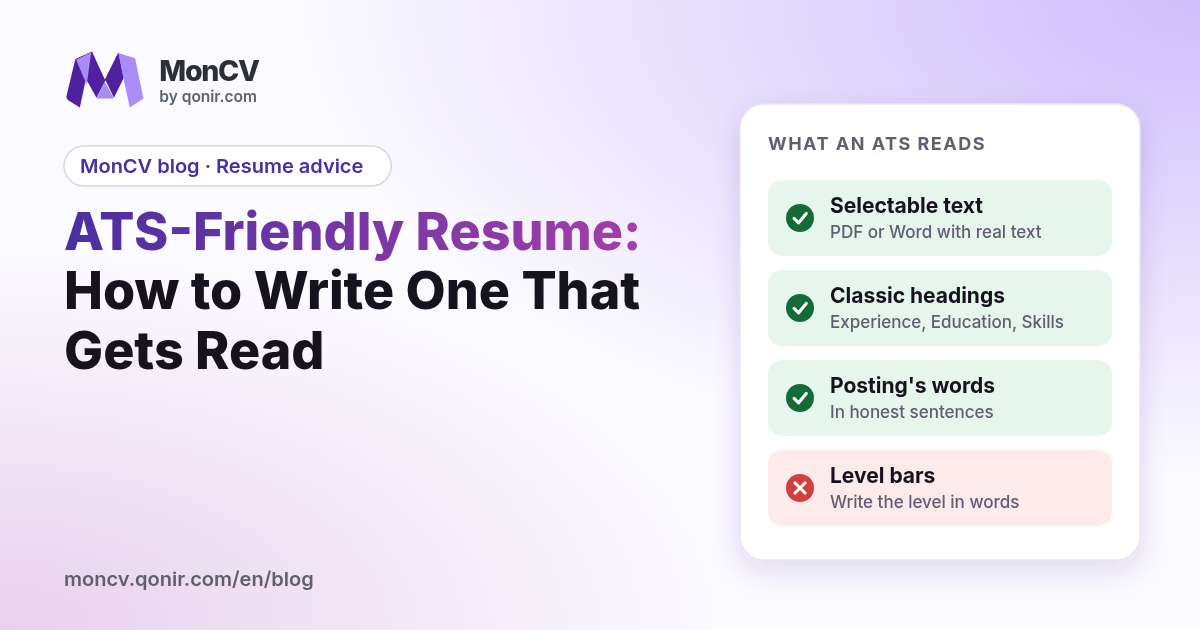
You sent ten applications and got one reply. Someone told you "the robot rejected your resume". It is rarely that simple. Applicant tracking systems, known as ATS, read your resume, pull information out of it and file it in a record that the recruiter browses or searches by keyword. If your resume is read badly, the record is empty or wrong, and you disappear from searches. This guide explains how to write an ATS-friendly resume, without dubious tricks, with a complete rewriting example.
What an ATS actually does with your resume
An ATS does not "score" your personality. It receives a file, tries to read its text, then splits it into fields: name, contact details, experience, education, skills. The recruiter then sees a structured record and can search their database for words such as "project management" or "Excel".
Two things can go wrong. The first is reading: if the software cannot extract the text, or scrambles it, the record is incomplete. The second is searching: if the words of the posting do not appear in your resume, the search does not find you. In both cases the resume is not "rejected by a robot": it is simply not read the way you hoped.
One important point: many recruiters still read resumes themselves, often in a few seconds. An ATS-friendly resume must therefore be clear to a machine and pleasant for a human. Both goals point the same way: structure, precise words, no needless fancy touches.
File format and layout
Start with the technical basics, which cause most of the problems.
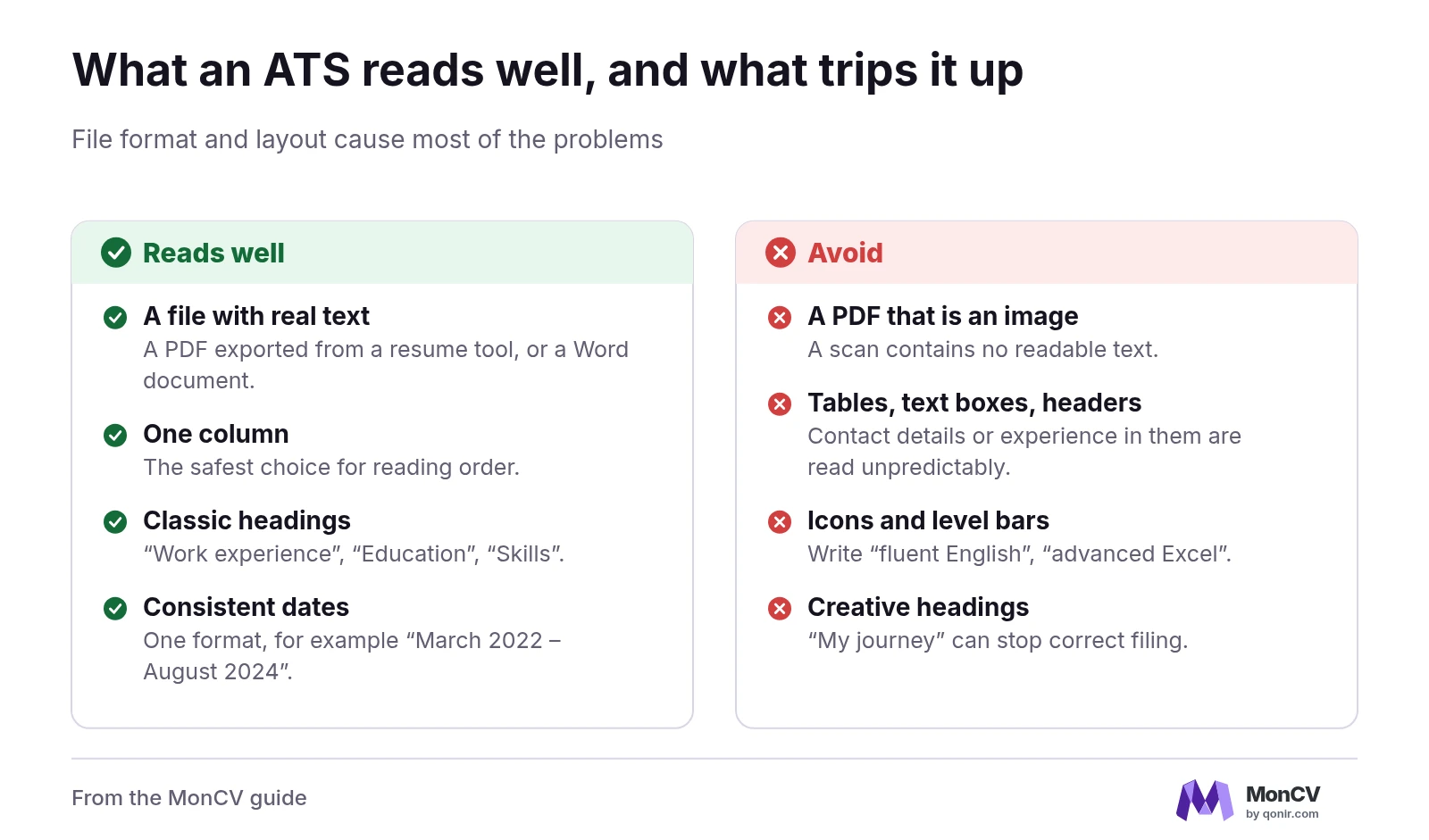
File format: a PDF exported from a word processor or a resume tool, with real text, or a Word document. A PDF that is really a scanned image contains no readable text.
Columns: one column is the safest choice. Two simple columns often work, but some software mixes up the reading order.
Tables, text boxes and page headers: avoid putting your contact details or experience inside them, because they are read unpredictably.
Icons and level bars: little gauges for languages or skills mean nothing to software. Write the level in words: "fluent English", "advanced Excel".
Font: a standard, readable font, 10 to 12 points.
To see what software reads, copy the whole content of your PDF and paste it into a plain text editor. If the order is coherent and nothing is missing, that is a good sign. If sentences are scrambled, simplify the layout.
Keep section headings simple
ATS recognise classic headings better. Use "Work experience", "Education", "Skills" and "Languages" rather than creative titles such as "My journey" or "What I can do". An original title is charming for a human, but it can stop the software from filing the content in the right place.
The same logic applies to dates: pick one consistent format, for example "March 2022 – August 2024", everywhere. Put the job title, then the company, then the period, in the same order for every entry.
Keywords: take them from the posting, not from thin air
This is where you gain the most. Recruiters search with the words of the posting. Your job is therefore to spot those words and use them, when they truly describe what you can do.
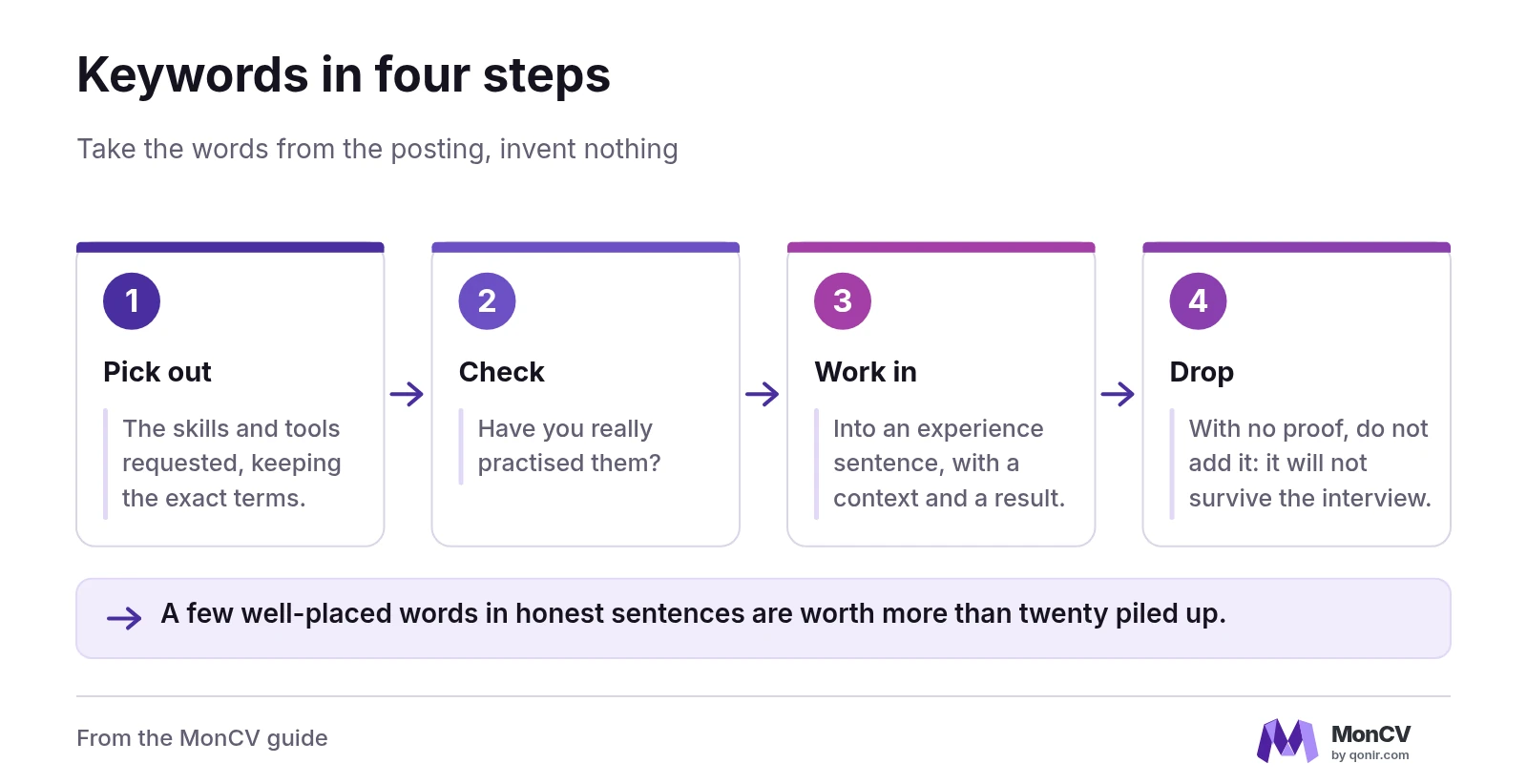
Here is a four-step method.
Pick out the skills and tools requested in the posting, keeping the exact terms.
For each one, ask yourself whether you have really practised it.
If so, work it into an experience sentence, with a context and a result.
If not, do not add it: a keyword with no proof does not survive the interview.
Do not copy lists of keywords hidden in white on a white background. Software and recruiters spot this trick, and it can disqualify an application. A few well-placed words in honest sentences are worth more than twenty piled up.
Complete example: Nadia applies for a communications officer role
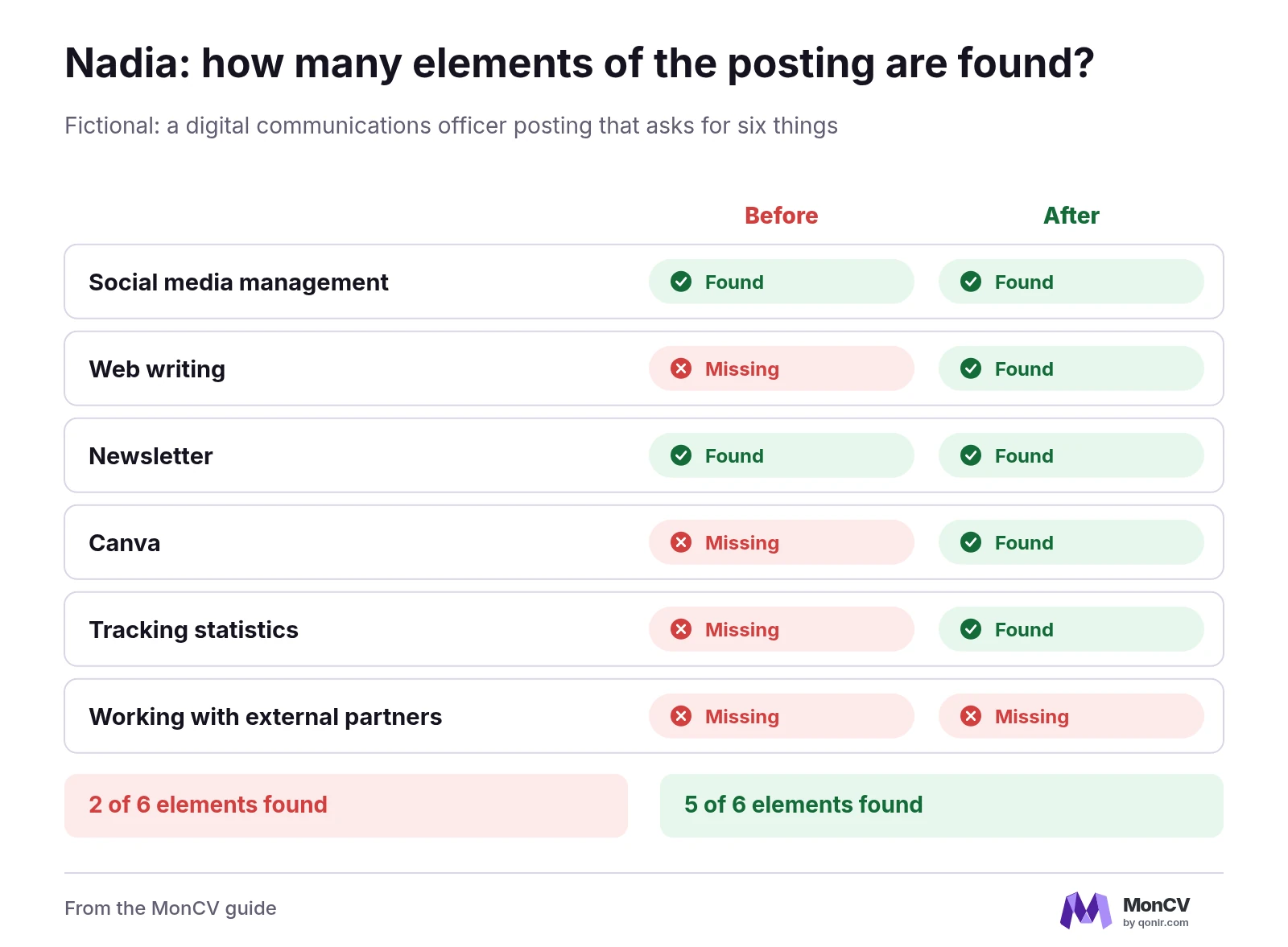
Take Nadia, who answers a posting for a digital communications officer. The posting asks for six things: social media management, web writing, newsletter, Canva, tracking statistics and working with external partners.
Here is the experience section of her first resume: "Marketing assistant, Lune Agency, 2021–2024. Duties: social networks, newsletter, a bit of writing." A human recruiter roughly understands. Software clearly finds only two elements of the posting, social media and the newsletter. Out of six elements, two are found.
Nadia rewrites her experience based on what she really did. She writes:
Social media management: ran two company accounts, three posts a week.
Web writing: wrote twelve blog articles and the website copy.
Newsletter: sent a monthly newsletter to about 2,000 subscribers.
Canva: created the visuals for campaigns and posts.
Tracking statistics: kept a monthly table of opens and clicks.
Result: five of the six elements of the posting now appear, in their exact terms. The sixth, working with external partners, is not there, because Nadia has no honest example to give. She does not invent one, and she can talk about it in the interview if the question comes up.
What also changes is readability for the human: each line holds an action, a volume and a tool. The recruiter does not have to guess.
Before and after: one resume line
Here is the change to apply to every line.
Before: "Duties: social networks, newsletter, a bit of writing."
After: "Ran two company accounts, three posts a week, visuals created with Canva."
The second version contains searchable terms, checkable numbers and an identifiable tool. It still reads naturally out loud, which is a good test: if a sentence sounds written for a robot, rewrite it.
Mistakes that make a resume unreadable for an ATS
Putting your contact details in the document header: some software ignores that area.
Using decorative bullets or unusual symbols: they can show up as stray characters.
Naming the file "resume_final_v3.pdf": prefer "First-Last-Resume.pdf", clearer for the recruiter.
Saving an image of the resume inside a PDF: the text becomes unreadable.
Writing acronyms without the full form at least once: some recruiters search "customer relationship management" and others "CRM".
Should the cover letter be adapted too?
Yes, with the same principles. The letter is often read by a human, but it is also stored in the record. Reuse two or three terms from the posting in a proof sentence, without copying the text. If you are starting from scratch, our cover letter tool gives you an outline to adapt.
If your background includes a break, it does not stop an ATS from reading the resume, as long as it is shown clearly with dates. Our guide on the employment gap on your resume explains how to present it.
Build a readable resume from the start
The simplest approach is to start from a structure already designed to be read: one column, classic headings, real text. You can create your resume online and then pick a clean format among the resume templates. Whatever tool you use, keep the copy-and-paste test: it is the quickest way to check that your document is readable.
Checklist before you upload
The file is a PDF with selectable text, or a Word document.
The sections carry classic headings.
Dates follow the same format everywhere.
Every requested skill you master appears in an experience sentence.
No important information sits in the header, a table or an image.
The copy-and-paste test gives text in the right order.
An ATS-friendly resume is not a doctored resume. It is a clear, honest, structured resume, whether software or a person reads it. Do this work once, keep your template, and only adapt the keywords for each posting.
FAQ
Does an ATS really reject resumes automatically?
Not in the general case. It reads the resume, files it in a record and lets the recruiter search by keyword. A badly read resume is simply found less often.
PDF or Word for an ATS-friendly resume?
Both work if the file contains real text. Avoid a PDF that is only a scanned image.
Does the resume need a single column?
It is the safest choice. Two simple columns often work, but some software mixes up the reading order. Run the copy-and-paste test.
Can I add invisible keywords?
No. The trick is spotted and can disqualify the application. Use the posting's words in honest sentences describing what you did.
Ready to present your experience clearly?
Build a clear, honest resume in a few minutes.